
SEOmatic is Craft CMS’s most popular SEO plugin, and for good reason; it works, and it works very well.
The Craft CMS website itself uses it, which is a testament to the power and simplicity this plugin wields. Big industry players such as Moz and Active Campaign utilise it too, with these guys relying on it so heavily, let's investigate further.
UI and native feel
First impressions and looking at SEOmatic just feel like a native plugin. It works like it's built into Craft, natively. The way you set it up just feels intuitive, and how it handles all the different tags is very well planned out.
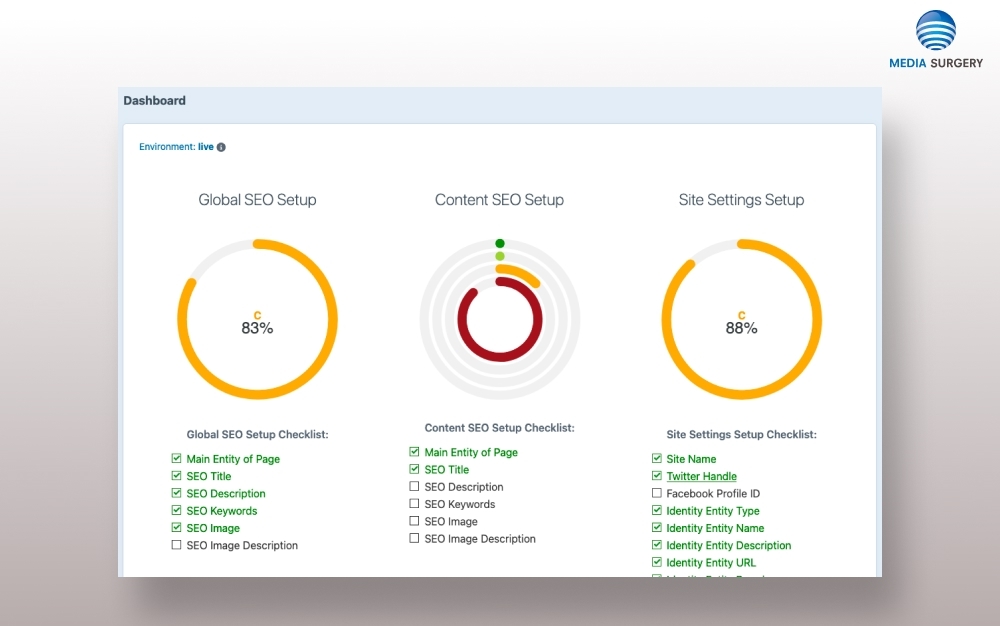
Control panel previews
A nice little addition to SEOMatic is that it adds a feature panel in which you can see your page as it would look on Google. This is handy when you are envisioning how your title and meta description would look on search engines, for length reasons more than anything. Is there a widow, do long words wrap, etc?
Makes it easy to use Google Analytics
Although many web owners are getting away from Google Analytics, it’s still a very popular tool to see web traffic and statistics. SEOmatic makes it very easy to get your Craft site to record the data into it.
Sitemaps
Google likes sitemaps, and SEOmatic makes it very easy to set them up with a few clicks. It produces a different sitemap for the selected section of content you publish. Each section's sitemap is linked to a parent root sitemap. This is a perfectly viable way of creating sitemaps, and it works very well with Google.
Social media tags and images setup
Social media can be a powerful marketing channel for many businesses. SEOmatic sets up your Twitter ( think X) and Facebook tags correctly. This works when someone links to your web page from an X or Facebook account and gives appropriate naming and images on the social network.
Robots.txt
The robots.txt is a tiny file, but it can absolutely destroy your seo if formatted incorrectly. SEOmatic handles it in an environment level, meaning it outputs differently depending if you are on a live, staging or local development setup.
Time Saver
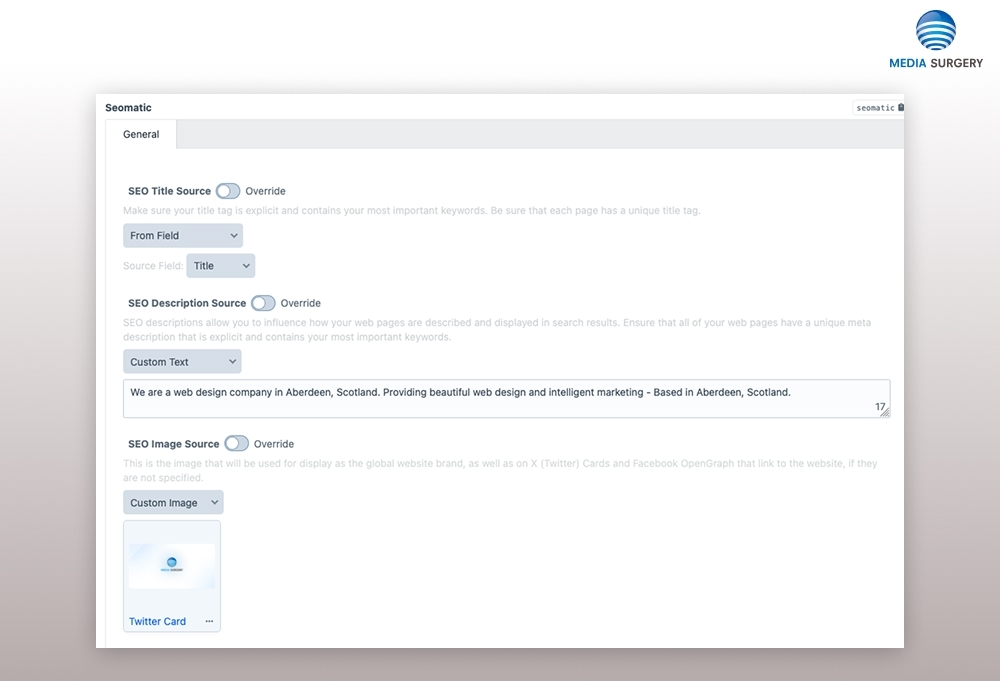
One of the main reasons we use SEOmatic is that it saves a lot of repetitive work by automatically setting up custom title tags, meta descriptions, and meta keywords. Although Craft makes the task of custom fields efficient, it still takes a bit of time. Alongside title tags, meta description, and meta keywords, we generally also add in a canonical field, which tells Craft which page is the most important when it comes to similar pages on your site.
Multi-site integration
Crafts multi-site allows you to have one admin install powering multiple different websites. Luckily, if you have gone down this route, SEOmatic is fully compatible, with the ability to fully customise each web property install.
Security and maintenance
SEOmatic experienced a security breach back in 2023, but over the last 2 years, it has received a clean bill of health. What software doesn't have some kind of vulnerability, though? There is an ever-increasing threat of attackers looking at every way to try to get past defences. Rest assured, SEOmatis is secure along with the main application - Craft CMS.
Competitors
SEOMate is a “competitor”, but it is not so feature-rich as SEOmatic. SEMate is completely free, so if you are on a budget or it’s a hobbyist project, then that may be an option for you. In terms of most Craft projects, though $99 (yearly recurring $49) is worth it, knowing things are done right, and you have a robust set of features to work with.
No magic
There's nothing you can do that you can't do natively with Craft, it just takes a chunk of time to set up the custom field, sitemaps, Twitter, and OpenGraph tags.
With SEOmatic, there is a lot less chance of errors, too, as everything has been developed by Andrew, who knows his SEO. This plugin has also been around for a while, with thousands of web developers and agencies putting it through its paces. Rahrer than rolling your own, SEOmatic gives peace of mind, knowing any potential issues have been ironed out, giving confidence that everything has been set up correctly.
A word of warning
Whilst SEOmatic sets up the foundational on-page elements required behind the scenes of a visible Craft CMS page, there is still a lot of work to be done for a successful SEO campaign. Content and links are vital in competitive niches. I’ve seen pages with very poor technical setup with 1-word title tags (like SEOmatic produces), but these pages had outstanding, well-written content and strong backlinks, and completely outgunned an almost perfect setup with SEOmatic and mediocre content. The lesson - brilliant content and links are critical to SEO. That said, SEOmatic provides a strong foundation to work from and sets up your SEO for success, even though other factors are needed.
Written by John Macpherson